Multi Party Pals Summons
-
Download
Get the latest version from Nexus Mods.
⚙️ What It Does
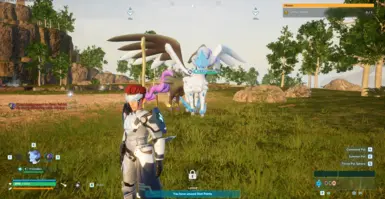
Normally, Palworld only lets you have one active Pal out at a time. This mod allows you to stack extra Pals without recalling the first one, letting you build your own personal army on the fly!
Works in Singleplayer, Co-op, and Dedicated Servers.
Multiplayer Note
Co-op and Dedicated Servers require a host to be installed. Without this, the mod will not function.
🎮 Controls
Singleplayer
- E : Calls or Recalls only the first summoned Pal; any extras will remain out.
- G : Summons an additional Pal from the currently selected party slot.
Repeat this with different slots to keep adding more Pals to the field.
- Shift + G : Summons all remaining party Pals at once (up to the configured max).
- Alt + G : Recalls all extra Pals.
Co-Op Hotkeys
Hotkeys work in Co-Op worlds too, but only when a single player is online. If another player joins, it automatically switches to chat commands.
Multiplayer / Dedicated Server
Use the following chat commands: - !s : Summon the currently selected Pal as an extra. - !sa : Summon all remaining party Pals at once. - !ra : Recall all extra Pals.
🔄 Auto-Recall
Extra Pals are automatically recalled when you: - Fast travel to a waypoint - Enter or exit a dungeon
🛠️ Configuration
If you'd like to tweak the mod's settings, edit config.lua inside the mod's Scripts folder:
- MaxExtraPals : Number of extra Pals allowed alongside the vanilla one (default: 4 for full party).
- Hotkeys : Rebind summon, summon-all, and recall keys.
- CommandPrefix : Change the chat command prefix (default: !).
- Commands : Change the chat command tokens.
- Debug : Toggle debug logging (default: false).
🚀 Installation
Prerequisite Required!
You must install UE4SS before you can use this mod. If you haven't done this yet, please follow the UE4SS Installation Guide first!
- Locate your Palworld directory.
- Drop the Multi Party Pals Summons folder into your UE4SS Mods directory:
Palworld\Pal\Binaries\Win64\ue4ss\Mods - Ensure
enabled.txtis present inside the mod's folder (it should be there by default). - Launch the game!